We are glad to present a new version of Blend4Web, an open source framework for 3D visualization on the Internet. For 15.07, we have implemented soft particles, made procedural transparency masks in node materials possible, significantly accelerated scene loading and added many of other improvements.
Soft Particles
Particle systems are widely used for visualizing multiple fine, dispersed objects, be it volcano eruption, waterfall splashes or fairy dust. For optimization purposes in real time graphics, particle systems often use billboards - transparent planes which automatically rotate toward the observer. Intersections of these planes with "solid" surfaces may reveal borders and thus, may break the illusion of a fluid medium. Starting today, Blend4Web supports so called soft particles which smoothly dissolve when coming in contact with surfaces.
Take a look at the example above: on the left - softness is off, on the right - the same particle systems with softness enabled.
In order to make particles soft, simply turn on the Soft Particles option located on the Render panel of the particle settings. Use the Particle Softness slider to further tweak this effect.

Setting up soft particles in Blender.
Transparency in Nodes
The node editor's functionality has been significantly extended in the case when Alpha Clip transparency is used (i.e. discarding pixels by alpha value). Before, only texture masks were supported, which furthermore had to be placed in texture slots of the transparent material instead of simply using the standard Texture node. As a result of our efforts, transparent node materials, which before were unavailable, can now easily be constructed.
Procedural masks generated via mathematical operations can be passed to the Alpha input to cut surface areas of any form - moreover, the masks can be animated as well! In addition, the Camera Data node can be used for implementing smooth dissolution with distance of grass billboards, for example.

Using the Alpha input for connecting a procedural mask.
The node material editor works with other transparency types as well (Alpha Sort, Alpha Blend, Add).
Optimizations
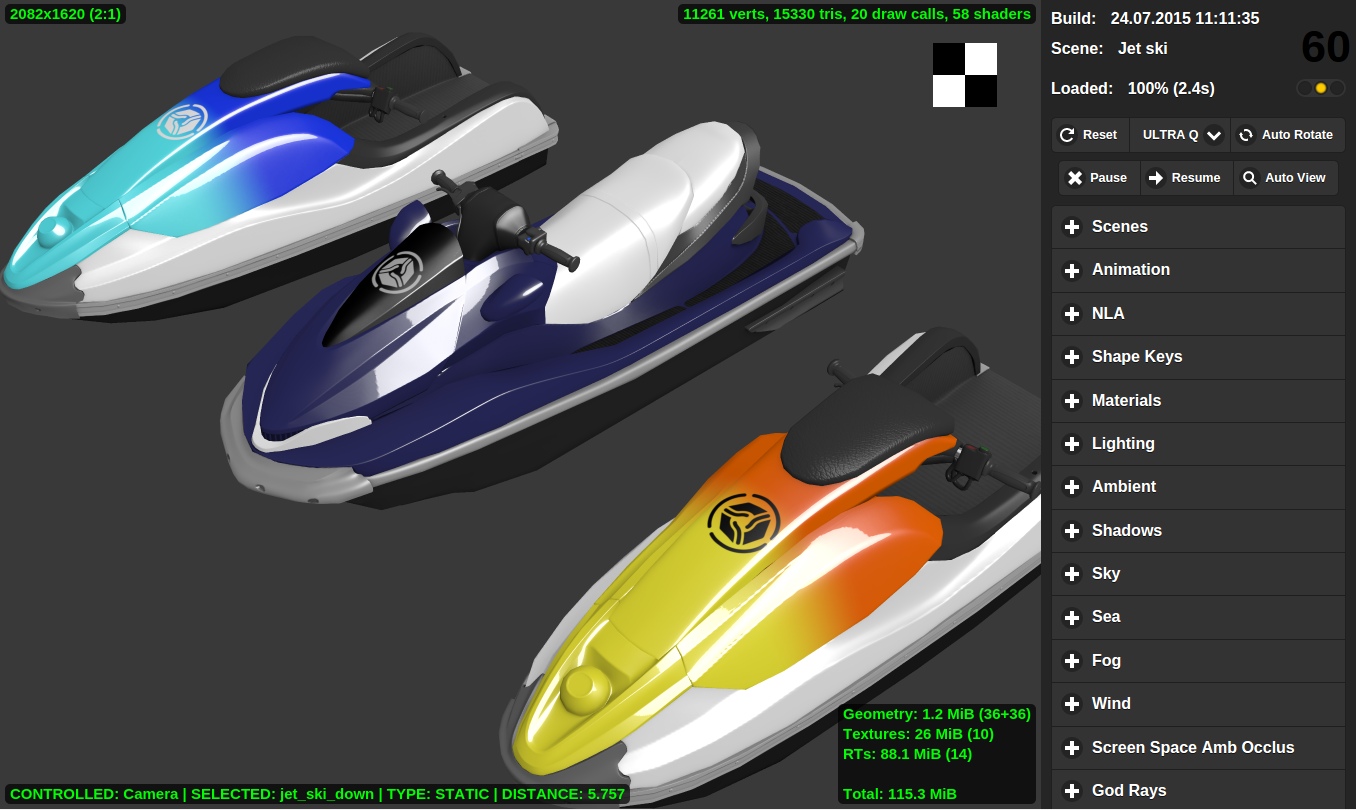
Blender's convenient yet powerful tool for the visual creation of materials is implemented under the hood of Blend4Web with a so called preprocessor. The preprocessor analyses the source code of shaders and transpiles it to GLSL code suitable for running on a video card. The preprocessor consists of several parts, among which the especially important one is the directive evaluator (a typical shader can have hundreds of directives). Now, instead of the automatically generated code of this evaluator, we use a much faster and simpler solution. This approach considerably reduces shader processing time (up to 10 times) whereas material-rich scenes are now loaded almost twice as fast.

A scene in the Viewer. Click to enlarge.
We have also considerably improved the performance of the Viewer, our tool for storing, reviewing and tweaking exported scenes.
More Reflection Settings
The quality of dynamic reflections can now be modified. You can choose an optimal quality-versus-performance ratio for your specific use-case: flat mirrors require better quality for the reflected image than sea surface with ripples, for example. This option works both for planar and cube-mapped reflections.

Menu for selecting the quality of dynamic reflections.
Also, the setup of planar reflections has been simplified: if no object is selected for the Reflection Plane field, the engine will use the reflective object itself for denoting the reflection plane. This means you are no longer required to add an extra empty object if the reflection plane coincides with the reflecting surface.

Reflection plane coincides with the river surface - no need to add an extra empty object.
Interface Translations
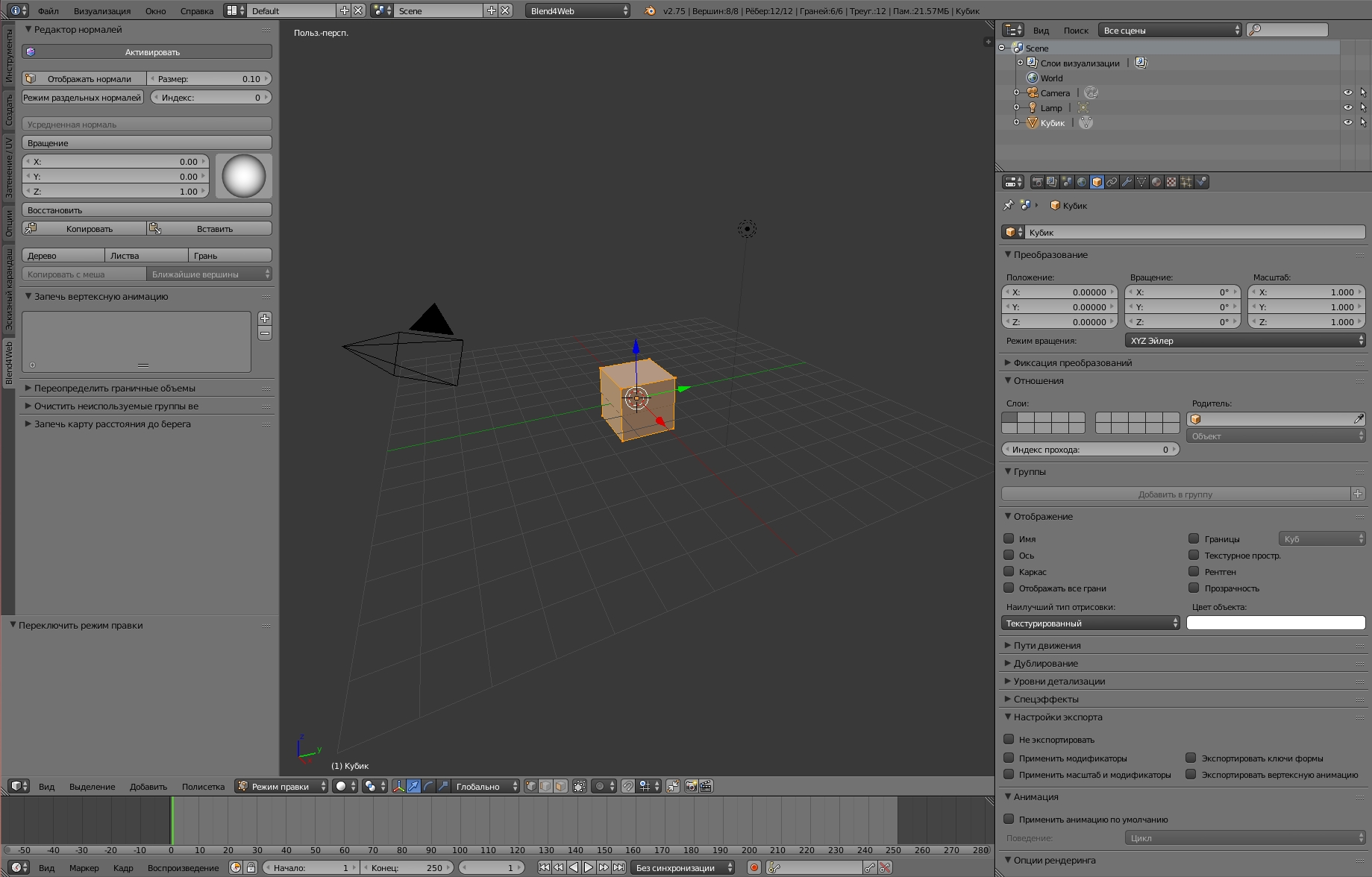
We have made it possible to use the Blend4Web interface in other languages (for now, Russian is the only other language supported).

This is how Blender and Blend4Web looks in Russian. Click to enlarge.
Switching the language can be done as usual.

Switching the language in Blender's system settings.
Other Improvements
In Blender, a material can be assigned both to a mesh and to an object - and now Blend4Web supports the latter option as well.

Menu for selecting where to assign a material - mesh or object.
The development server now supports external requests. As a result, the debugging of mobile web applications has become much easier - not to mention the possibility to appreciate your colleagues' work without their knowledge!

The index page of the SDK opened from a local network.
To use this feature, turn on Enable External Requests in the add-on settings.

This is where the Enable External Requests option is located in the add-on settings.
Water caustics now have to be enabled by using the corresponding option on a material's Water panel. Voronoi textures, which were used for this purpose before, are no longer supported.

The Caustics option in the material settings.
For convenient setup of the Hover camera, we have added a new parameter, Zero Level, which defines initial height for the camera.

The Zero Level parameter in the camera move style settings.
Conclusion
This Blend4Web version is compatible with Blender 2.75. The source blend files of all examples shown in this article are included in the Blend4Web SDK. The full list of changes as well as the list of all fixed errors can be found in the release notes.